You’re looking for answers. You want real solutions that fit your busy life. The good news is, there are tools designed to help.
They aim to ease your mind. They help you find a better balance. We’ll go through some of the top options.
We’ll look at what they do. We’ll see how they can make a difference. Get ready to find some relief.
The best paid tools for anxiety and work-life balance in 2025 offer personalized support. They help manage stress through mindfulness, improve time management with smart scheduling, and foster better sleep. These tools provide guided exercises, digital journaling, and accountability to create a more peaceful and productive personal and professional life.
Understanding Anxiety and Work-Life Balance Challenges
Anxiety can creep in quietly. It often starts small. Maybe it’s a nagging worry.
Or a feeling of dread. This can happen before a big meeting. It can also happen when thinking about a long to-do list.
When work demands keep growing, it’s hard to pull away. Our phones buzz with notifications. Emails arrive late at night.
We feel like we should always be available. This blurs the lines between work and home. It leaves little time for rest.
It starves us of energy. This constant pressure can lead to burnout. It affects our relationships.
It harms our physical health. Many people feel trapped. They don’t see a way out.
They want to reclaim their peace. They want to feel in control again.
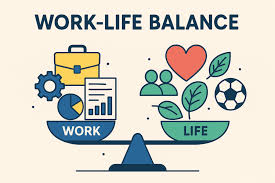
Work-life balance isn’t about a perfect 50/50 split. It’s about feeling like you have enough time. You need time for work.
You also need time for yourself. This includes hobbies, family, and rest. When this balance is off, anxiety often follows.
You might worry about falling behind at work. You might feel guilty for not spending time with loved ones. Or you might worry about not taking care of yourself.
These worries are valid. They are signals that something needs attention. Understanding these feelings is the first step.
It helps us find the right tools.
The Role of Paid Tools in Managing Stress
Why paid tools? Free options exist, and they are great. But paid tools often offer more.
They come with deeper features. They often have better support. Think of them as an investment.
You are investing in your well-being. This isn’t about luxury. It’s about getting effective help.
These tools are made by experts. They use science. They offer guided paths.
They can track your progress. This helps you see what’s working. They can provide personalized feedback.
This is like having a coach. A coach who understands your struggles. They can offer exercises.
These exercises are designed to calm your mind. They can help you focus better. They can improve your sleep.
Good sleep is vital for managing anxiety. It’s also key for good work performance.
Many paid apps use techniques backed by research. Things like mindfulness and cognitive behavioral therapy (CBT) are common. They help you change how you think.
They help you react differently to stress. These tools can guide you through meditation. They offer breathing exercises.
They help you build resilience. Resilience is your ability to bounce back. It’s crucial when facing challenges.
When you have tools that actively help you build this, it’s powerful. It’s not just about coping. It’s about thriving.
Top Paid Tools for Anxiety Management (2025)
Let’s dive into specific tools. These are popular and well-regarded. They offer robust features for anxiety.
Many also help with work-life balance. We’ll cover a few types. Some focus on mental wellness.
Others focus on productivity. Both are key for balance.
Mindfulness and Meditation Apps
These apps guide you to be present. They help calm racing thoughts. Regular use can lower stress hormones.
They offer short sessions for busy days. Longer sessions are there for deeper relaxation. Many have sleep stories.
These help you drift off to sleep. They often have courses on managing specific anxieties. Examples include Calm and Headspace.
They are pioneers in this space. They offer vast libraries of content.
Calm is known for its sleep content. It has “Sleep Stories” read by famous voices. It also offers guided meditations.
There are music tracks for relaxation. Headspace offers structured courses. These courses build meditation habits.
They teach practical skills for daily life. Both are excellent for building a consistent practice. They make mindfulness accessible.
You can do it anywhere. Even during a short break at work.
I remember a time when work was overwhelming. My mind was always buzzing with tasks. I found it hard to focus.
Even when I tried to relax, my thoughts raced. I started using a meditation app. At first, it felt strange.
Sitting still and focusing on my breath was hard. But I stuck with it. I used their short, 5-minute sessions.
Slowly, I started to notice a difference. My mornings felt calmer. I could tackle my to-do list with more focus.
It wasn’t a magic fix. But it was a consistent help. It gave me a tool to use when stress spiked.
Digital Journaling and Mood Trackers
Writing down your thoughts is powerful. It helps process emotions. Mood trackers let you see patterns.
You can identify triggers for anxiety. You can see what helps you feel better. Apps like Daylio or Reflectly offer this.
They are simple to use. You log your mood. You add notes about your day.
Over time, you build a personal history. This history is incredibly insightful. It helps you understand yourself better.
It helps you take proactive steps.
Seeing your mood trends can be eye-opening. You might notice that certain days are harder. You might link it to specific work tasks.
Or to lack of sleep. This awareness is crucial. It allows you to plan.
You can schedule self-care. You can manage your workload better. These tools are like personal diaries.
But they offer more analysis. They turn your experiences into data. This data helps you make smarter choices.
It empowers you to manage your well-being.
Tools for Improving Work-Life Balance
Anxiety is often linked to feeling out of control. Work-life balance tools help restore that control. They help you organize your time.
They help you set boundaries. They make sure you have time for life outside work.
Smart Scheduling and Time Management Apps
These tools go beyond basic calendars. They help you block out time. They can prioritize tasks.
Some use AI to suggest schedules. They help you find time for breaks. They can even help you say no.
By planning your week, you reduce uncertainty. Uncertainty fuels anxiety. Tools like Motion or SkedPal can be game-changers.
They integrate tasks and calendar events. They optimize your day.
Motion is an interesting one. It uses AI to automatically schedule your tasks. You input your priorities and deadlines.
It then finds the best times for everything. This takes a huge mental load off your shoulders. You don’t have to constantly rearrange.
It adapts as your day changes. This kind of smart scheduling is fantastic for busy professionals. It helps ensure that work doesn’t consume everything.
It carves out space for personal time.
I used to spend hours planning my week. I’d write lists. I’d move things around.
It felt like a second job. Then I tried a smart scheduler. It was like a light bulb went off.
I plugged in my projects and tasks. It built a schedule for me. It even told me when to take breaks.
That was a revelation. It showed me that breaks were important. Not just nice to have.
They were essential for good work. It freed up my mental energy. I wasn’t constantly thinking about what to do next.
I could focus on doing it. This reduced my work-related anxiety significantly.
Productivity and Focus Enhancers
These apps help you get more done. But they do it smartly. They help you focus.
They minimize distractions. Some use the Pomodoro Technique. This involves working in focused bursts.
Then taking short breaks. Apps like Forest or Freedom are popular. Forest gamifies focus.
You grow a virtual tree. If you leave the app, your tree dies. This visual cue helps you stay on task.
Freedom blocks distracting websites and apps. It’s great for deep work sessions.
Freedom is a powerful tool for cutting out digital noise. When you’re trying to focus on a report or a creative project, your phone can be a major enemy. Social media alerts, news updates, even emails can pull you away.
Freedom lets you create custom blocklists. You can schedule these blocks for certain times. So, during your dedicated work hours, those distractions are simply gone.
It creates a digital sanctuary. This allows for real focus. It makes work more efficient.
This efficiency means you can finish work sooner. It leaves more time for your personal life.
Boundary Setting and Communication Tools
This is a less common category. But it’s vital. Some tools help you set digital boundaries.
Others help you communicate them. For example, scheduling email delivery. Or setting “do not disturb” times.
Some project management tools allow for clear task delegation. They show when people are working. This helps manage expectations.
Tools that integrate with calendars can show your availability. They can signal when you are off-hours.
Imagine your boss emailing you at 10 PM. You feel pressure to respond. But you’re supposed to be winding down.
Tools that allow scheduled email sending are amazing. You can write your reply. Then schedule it to send during work hours.
This is a huge mental relief. It means you can disconnect. You don’t have to keep checking.
It honors your personal time. It also trains your colleagues. They learn you are not always online.
This is crucial for preventing burnout.
Integrating Tools for Holistic Well-being
The real magic happens when you combine tools. Think of them as a toolkit. You wouldn’t use just a hammer for every job.
Similarly, different tools serve different needs. You might use a meditation app daily. Then use a scheduling tool to plan your week.
You might use a journaling app to reflect. Then a focus app during work hours. The goal is a seamless integration.
Example Integration: The “Calm and Productive Day”
Morning: Start with a 10-minute meditation using Calm. This sets a peaceful tone. Then, review your day’s schedule in Motion.
See your prioritized tasks. This reduces morning rush anxiety.
Workday: Use Freedom for 90-minute focus blocks. This ensures deep work happens. Use a journaling app like Daylio to log your mood after challenging meetings.
This helps process emotions.
Evening: Schedule emails to send at work hours using a tool like Boomerang for Gmail. This prevents late-night work creep. End the day with a Sleep Story from Calm.
This integrated approach creates synergy. One tool supports the other. The meditation prepares you for focused work.
The focus work means you finish on time. Finishing on time allows for relaxation. Relaxation aids better sleep.
Better sleep improves your mood. This positive cycle is powerful. It’s about building healthy habits.
These tools are enablers. They help you stick to those habits. They make the process easier.
They make it more sustainable.
Real-World Context and User Experiences
Let’s look at where this happens. It happens in homes across the country. Many people are working remotely now.
This blurs lines even more. The commute used to be a buffer. Now, your office might be your living room.
This makes work-life balance tools essential. In American homes, especially with dual-income families, time is a precious commodity. Tools that save time are highly valued.
I spoke with Sarah, a marketing manager. She felt constantly overwhelmed. Her phone was always on.
She answered emails until midnight. Her anxiety was constant. She started using Headspace.
She also implemented a strict “no work email after 7 PM” rule. She used her calendar to block out “me time.” This time was sacred. She also used a productivity app to batch her tasks.
She’d do all her social media posts at once. She’d answer emails in specific blocks. She told me, “It wasn’t easy at first.
I felt guilty taking breaks. I felt anxious not being ‘always on.’ But the tools helped me stick to it. Seeing my progress in Headspace was motivating.
Seeing my completed tasks in my planner made me feel accomplished. Now, I feel like I have a life again.”
Another user, Mark, a freelance graphic designer, struggled with focus. He’d get lost in social media rabbit holes. He found the Pomodoro Technique challenging.
He started using Forest. He loved the visual aspect. He said, “It sounds silly, but watching my little trees grow made me accountable.
When I needed to focus on a client’s project, I’d start a timer on Forest. Knowing I’d lose my progress if I checked Instagram kept me honest. It made my work sessions more effective.
I finished projects faster. This meant I could take on more clients. But I also had more time for my family.
It balanced my income and my life.”
What This Means for You: When to Worry and When It’s Normal
Feeling stressed or overwhelmed sometimes is normal. Life is busy. Work can be demanding.
The key is how long it lasts. And how it affects you. It’s normal to feel a bit anxious before a big presentation.
It’s normal to feel tired after a long week.
When to worry:
- If anxiety is constant.
- If it interferes with your daily life.
- If you have trouble sleeping regularly.
- If you lose interest in things you used to enjoy.
- If you experience physical symptoms like racing heart or shortness of breath often.
- If work constantly spills into personal time, and you can’t set boundaries.
These are signs that you might need more than just apps. You might need to talk to a professional. A therapist or counselor can offer deeper support.
They can help you understand the root causes of your anxiety. They can teach you advanced coping strategies. They can also help you work through work-life balance issues.
When it’s normal:
- Occasional stress or worry.
- Feeling tired at the end of a busy period.
- Needing to catch up on work sometimes.
- Feeling a bit overwhelmed by a large project.
Using tools can help you manage these normal feelings. They can prevent them from becoming bigger problems. They can help you build resilience.
This is like having a personal trainer for your mental health. It helps you stay in shape.
Quick Tips for Choosing and Using Paid Tools
Not all tools are right for everyone. Here’s how to pick the best ones for you.
Choosing Wisely:
- Identify Your Biggest Need: Are you struggling with focus? Or is it sleep? Or feeling overwhelmed? Pick a tool that targets your main issue first.
- Read Reviews: Look for reviews from people with similar challenges. See what they liked and disliked.
- Use Free Trials: Most paid apps offer free trials. Use them! Test out the features. See if the interface makes sense to you.
- Consider Cost vs. Value: Some tools are more expensive. Do the features justify the cost for you? Is it an investment in your health?
Using Effectively:
- Start Small: Don’t try to use ten new tools at once. Pick one or two. Learn them well.
- Be Consistent: The most important part is regular use. Even 5 minutes a day is better than nothing.
- Integrate, Don’t Overcomplicate: Make the tools work together. Don’t add more stress by managing too many systems.
- Be Patient: It takes time to see results. Don’t get discouraged if you don’t feel better immediately.
- Adjust as Needed: Your needs will change. Re-evaluate your tools. Swap them out if they’re not working anymore.
Remember, these tools are aids. They are not magic cures. They require your effort and commitment.
But with the right tools and consistent use, significant positive changes are possible. You can feel more in control. You can experience less anxiety.
You can enjoy your life more fully.
Frequently Asked Questions
Are paid anxiety tools really worth the money?
For many people, yes. Paid tools often offer more advanced features. They can provide personalized guidance and tracking.
They can be a worthwhile investment in your mental health and productivity. Think of it like an investment in your well-being.
Can these tools replace therapy?
These tools can be excellent support. They can help manage everyday stress and anxiety. However, they generally cannot replace professional therapy.
If you are experiencing severe anxiety, it’s important to seek help from a qualified mental health professional.
How do I choose between a meditation app and a productivity app?
Consider your primary challenge. If you struggle with racing thoughts and stress, a meditation app like Calm or Headspace might be best. If you feel overwhelmed by tasks and deadlines, a productivity tool like Motion could be more beneficial.
Many people find value in using both.
What is the Pomodoro Technique, and how do focus apps use it?
The Pomodoro Technique involves working in focused intervals, typically 25 minutes long. These are called “pomodoros.” After each pomodoro, you take a short break. Focus apps like Forest or Freedom help you stick to this by blocking distractions during your work intervals.
How often should I use these tools to see results?
Consistency is key. For meditation and mindfulness apps, daily use, even for 5-10 minutes, is recommended. For productivity tools, regular daily or weekly planning can make a big difference.
It often takes a few weeks to build habits and see noticeable improvements.
What if I can’t afford these paid tools right now?
There are many excellent free resources available. Many meditation apps offer free versions with great content. Libraries often have resources on mindfulness and time management.
Building basic habits like regular sleep and exercise can also significantly help manage anxiety. Start with what’s accessible to you.
Conclusion: Taking Control of Your Well-being
Navigating anxiety and finding work-life balance is a journey. It’s not always easy. But you don’t have to go it alone.
The right paid tools can be powerful allies. They offer structure. They provide guidance.
They help you build better habits. They empower you to take control. By investing in these resources, you invest in yourself.
You invest in a calmer, more productive, and more fulfilling life. Start exploring. Find what resonates with you.
Your well-being is worth it.