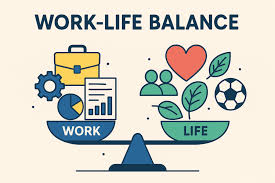
Finding a true work-life balance can feel like a distant dream. Many people struggle with constant thoughts of unfinished tasks and the pressure to always be “on.” This often leads to significant anxiety. Fortunately, by understanding where we can bring in smart automation, we can create smoother workflows and reduce mental clutter, leading to a more balanced and less anxious life.
Understanding the Anxiety-Work-Life Balance Connection
Anxiety and work-life balance are closely linked. When work spills into personal time, it eats away at rest and relaxation. This lack of downtime fuels worry.
We start thinking about tasks even when we should be resting. This cycle can be exhausting.
Our brains are not built for constant high alert. When we don’t have clear boundaries, stress builds up. This stress can feel like a knot in our stomach.
It can make it hard to focus. It can also affect our sleep. Over time, this takes a toll on our health.
Many people feel guilty when they are not working. They think they should always be doing more. This guilt adds to the anxiety.
It makes them feel like they are failing. It is hard to feel happy when you feel like you are always behind.
Work-life balance is not about doing less. It is about doing things smarter. It is about making time for what matters.
This includes rest, hobbies, and time with loved ones. When these areas are neglected, anxiety often follows. It is a sign that something needs to change.
Think of your energy like a battery. If you only ever charge it by work, it will eventually run out. You need other activities to recharge.
Work-life balance ensures you have those recharging activities. Without them, your battery stays low. This makes you more prone to anxiety.
The modern world adds its own pressures. We are always connected. Emails and messages can arrive any time.
This blurs the lines between work and home. It can feel like work is always present. This constant presence is a major driver of anxiety.
It makes true breaks difficult.
Recognizing this link is the first step. You are not alone in feeling this way. Many people face these challenges.
The good news is there are ways to manage it. Automation can be a powerful tool in this fight. It can help create space and calm.
It’s about reclaiming control. It’s about designing your days. It’s about setting up your environment.
This helps support your well-being. It helps reduce the feeling of being overwhelmed. This leads to a less anxious state.
It helps you enjoy your life more.
The Power of Automation in Managing Daily Overwhelm
Automation means using tools to do tasks for you. These tasks might be repetitive or time-consuming. Think about simple things.
Sending a reminder is a good example. Or organizing files. Even paying bills can be automated.
When you automate tasks, you free up mental energy. You don’t have to remember every little detail. Your brain can focus on bigger things.
This is a huge relief. It directly combats the feeling of being overwhelmed. This is a key source of anxiety.
Many people spend hours on low-value tasks. These tasks don’t require much thought. But they take up time.
They also drain your energy. Automating them is like getting those hours back. You can then use that time for rest or fun.
Or for more important work.
Consider your email inbox. It can be a constant source of stress. Unread messages pile up.
Urgent requests seem to appear out of nowhere. This can feel like a fire drill all day long. This triggers anxiety.
It makes you feel like you can never catch up.
With email filters, you can sort messages. Important emails can be flagged. Less important ones can be moved.
Some can even be archived automatically. This makes your inbox manageable. It reduces the visual clutter.
It stops those urgent feelings all the time.
Another area is scheduling. Trying to find a time that works for everyone is tough. It involves lots of back-and-forth emails.
This is frustrating. It wastes time. It adds to stress.
Tools that let people book a time directly from your calendar can automate this. This saves huge amounts of hassle.
Think about recurring tasks. Like submitting a weekly report. Or checking in on a project.
If these are always done manually, they can be forgotten. Or they can feel like a burden. Setting up an automated reminder or even a template can help.
It makes the process smooth.
This isn’t about making life complex with new tech. It’s about using tech simply. It’s about finding tools that solve real problems.
Problems that cause you stress. It’s about making your life easier. It’s about reducing the mental load.
When you automate something, you create a system. This system works even when you are not actively thinking about it. This gives you peace of mind.
You know things are being handled. This is a big win for reducing anxiety. It helps create a buffer.
The goal is to reduce friction. Friction is anything that makes a task harder or more annoying. Automation removes much of this friction.
This leads to a smoother flow. A flow that is less anxiety-inducing. It allows for more focus and more relaxation.
Quick Wins: Automate These Small Tasks First
1. Bill Payments: Set up auto-pay for recurring bills. This prevents late fees and saves you time each month.
You just need to check your accounts now and then.
2. Meeting Scheduling: Use a scheduling app like Calendly or Acuity. Let others pick times from your available slots.
This avoids endless email chains.
3. Email Filtering: Create rules in your email client. Sort newsletters, notifications, and specific sender emails into folders.
Keep your main inbox clean.
4. Social Media Posts: Use tools like Buffer or Hootsuite. Schedule your posts in advance.
This ensures a consistent online presence without daily effort.
5. File Backups: Use cloud services like Google Drive or Dropbox. Set them to sync automatically.
Your files are always safe and accessible.
My Own Journey: From Constant Worry to Calm Control
I remember a time when my to-do list felt like a monster. It grew longer every day. I was working as a project manager.
My days were packed with meetings. Emails were flying in constantly. At home, I felt guilty if I wasn’t catching up on work.
My evenings were spent staring at my laptop. I’d be trying to answer emails. Or planning the next day.
I could never truly relax. My mind was always racing. “Did I forget to send that report?” “What about the client call tomorrow?” This constant hum of worry was exhausting.
It was like a low-grade fever of anxiety.
One Tuesday, I was trying to prepare for a big presentation. My inbox pinged every few seconds. Each notification felt like a little jab.
I got so frustrated. I slammed my laptop shut. I just needed a break.
I walked to the kitchen and stared out the window. The sun was shining.
That’s when it hit me. I was letting technology control me. I was reacting to every notification.
I wasn’t in charge of my own day. I felt powerless. This powerlessness was a big part of my anxiety.
It made me feel trapped.
I started researching ways to get organized. I stumbled upon the idea of automation. At first, it sounded complicated.
I thought I needed to be a tech expert. But I started small. I looked at things that annoyed me the most.
The endless email sorting was a big one. I set up some basic rules. If an email was from a specific newsletter, send it to a “Read Later” folder.
If it was a notification from a certain app, put it in another folder. Suddenly, my main inbox was much cleaner. I felt a tiny bit of relief.
Then I tackled scheduling. Trying to get two busy colleagues to agree on a meeting time was a nightmare. I signed up for a free trial of a scheduling app.
I put in my available hours. I shared the link once. And it just worked.
People booked times. No more emails. It was magical!
Slowly, I added more. Automated bill pay. Reminders for my water intake.
A system to back up my work files. Each small automation felt like winning a battle. Each one chipped away at my anxiety.
It was like clearing fog from my brain.
My evenings started to change. I wasn’t staring at emails anymore. I could actually read a book.
Or go for a walk. The guilt lessened because I knew important things were handled. The constant worry quieted down.
It was replaced by a sense of calm. I finally felt like I had some control back.
It wasn’t overnight. It took some experimenting. Some automations didn’t work well.
Some I had to tweak. But the overall impact was huge. It showed me that I didn’t have to be a slave to my to-do list.
I could build systems that supported my well-being. This changed my relationship with work and with myself.
Practical Automation Strategies for Work and Home
Let’s dive into how you can actually start automating. It’s about looking at your day-to-day routines. Find the spots where things feel sticky or repetitive.
Those are prime candidates for automation.
Streamlining Workflows
In the workplace, efficiency is key. But it doesn’t have to mean more stress. Think about how information flows in your job.
Where are the bottlenecks?
Email Management: We touched on this, but it’s so important. Beyond basic filters, consider:
- Auto-replies: Set up an out-of-office reply when you’re on vacation. You can even set up a custom auto-reply for certain times of day if you’re focusing on deep work.
- Templates: For common questions or responses, create email templates.
Most email programs allow you to save these. You can insert them with a few clicks.
- Follow-up reminders: Use your email client or a CRM tool to schedule reminders to follow up on emails you’ve sent.
Task Management: Your to-do list can be a source of calm, not chaos.
- Recurring tasks: Most task apps (like Todoist, Asana, or Microsoft To Do) let you set up tasks that repeat daily, weekly, or monthly. Think “Water plants every Sunday” or “Submit timesheet every Friday.”
- Automated project updates: Some project management tools can send automated summaries.
They can show progress or highlight upcoming deadlines.
- Integration: Connect your tools. For example, link your calendar to your task app. When a meeting is scheduled, it can automatically create a prep task.
Information Gathering: Need to stay updated on industry news?
- RSS Feeds: Use an RSS reader to aggregate articles from your favorite sites. You don’t have to visit each site.
- Google Alerts: Set up alerts for keywords related to your work or industry.
You’ll get emails when new content appears online.
- Newsletters: If you subscribe to many, use email filters to organize them. Only let the most important ones hit your main inbox.
Automation Tools to Explore
Productivity Suites: Google Workspace, Microsoft 365 offer built-in tools for email, calendar, and task management that can be automated.
Scheduling Apps: Calendly, Acuity Scheduling, Microsoft Bookings. They take the pain out of meeting arrangements.
Task Managers: Todoist, Asana, Trello, Monday.com. Many offer recurring tasks and integrations.
Note-Taking Apps: Evernote, OneNote, Notion. Can be used for templates and recurring notes.
Integration Platforms: Zapier, IFTTT. These powerful tools connect different apps. They let you create custom automated workflows between services that don’t natively talk to each other.
For example, “When I star an email in Gmail, create a task in Todoist.”
Simplifying Home Life
Your home should be a sanctuary. Not another source of stress. Automation here is about comfort and ease.
It frees up your personal time.
Household Chores:
- Smart home devices: Smart plugs can turn lights on or off on a schedule. Smart thermostats can manage your home’s temperature efficiently. Robot vacuums can clean floors automatically.
- Automated shopping lists: Some apps can help you track pantry items.
They can even suggest adding them to your grocery list when you’re running low.
- Meal planning: Use apps to plan meals for the week. Some can even generate a grocery list from your plan.
Finances: Money worries are a big source of anxiety.
- Automatic bill pay: As mentioned, this is crucial. Ensure you have funds in your account.
- Savings transfers: Set up automatic transfers from your checking account to your savings.
“Pay yourself first” makes saving effortless.
- Budgeting apps: Many apps link to your bank accounts. They automatically track your spending. They categorize expenses, giving you a clear picture of where your money goes.
Communication and Social:
- Birthday reminders: Your phone’s calendar can remind you of birthdays. You can even pre-write messages or schedule gift purchases.
- Photo organization: Cloud services often automatically back up and can help organize your photos.
Contrast Matrix: Automation Myths vs. Reality
Myth: Automation is only for tech experts.
Reality: Simple tools are available for everyone. Many require no coding knowledge.
Myth: Automation makes life more complicated.
Reality: When done right, it simplifies tasks and reduces mental load.
Myth: Automation is expensive.
Reality: Many useful automation tools are free or have affordable plans.
Myth: Automation takes away human connection.
Reality: It frees up time for meaningful human interaction.
Myth: You have to automate everything.
Reality: Start small. Automate what causes you the most stress.
Real-World Context: Where Anxiety Strikes and Automation Helps
Let’s paint a picture of common scenarios. These are places where anxiety thrives and where automation can be a hero.
The Morning Rush
Imagine this: It’s 7 AM. You need to get yourself ready, get kids ready for school, pack lunches, and leave the house by 7:45 AM. The alarm goes off, and the stress immediately starts.
Did you remember to set out clothes? Is there milk for cereal? Where are the school forms?
This frantic start sets a negative tone for the whole day. It’s a breeding ground for anxiety. It makes you feel behind before you even start.
How Automation Helps:
- Smart Lights: Have lights slowly turn on in your bedroom 15 minutes before your alarm. This eases you into the day.
- Smart Thermostat: Ensure the house is at a comfortable temperature when you wake up. No shivering or overheating.
- Automated Coffee Maker: Schedule your coffee maker to brew as soon as your lights come on.
Fresh coffee ready instantly.
- Pre-packed Lunches: While this requires prep, a system for packing lunches the night before, with automated reminders for what to include, can work.
- Digital School Forms: If possible, use online portals for school forms. Set reminders to check these portals.
These small automations create a smoother morning. Less rushing means less anxiety. It allows for a calmer departure.
The Unending Inbox
You check your email before breakfast. It’s already full. You get through a few, only to find more have arrived.
By the time you get to work, your inbox is a disaster zone. You feel a sense of dread. This feeling can linger.
This is a classic anxiety trigger. It feels like you’re drowning in demands. You can’t see the important messages for the noise.
How Automation Helps:
- Intelligent Filters: As discussed, sort newsletters, notifications, and CC’d emails into separate folders.
- Spam Filters: Ensure your spam filters are robust. This keeps junk out of your main inbox.
- Priority Inbox: Some email clients allow you to set up a “priority inbox.” This shows you emails from important contacts or with specific keywords first.
- Scheduled Sending: If you write emails late at night, schedule them to send during business hours. This respects others’ downtime and manages expectations.
- Automated Responses: For common inquiries, have templates or even basic auto-responders ready.
A cleaner inbox leads to a clearer mind. You can focus on what truly needs your attention. This reduces the panic associated with email.
The End-of-Day Transition
You finish work. But your mind is still buzzing with tasks. You feel guilty for “stopping.” Or you worry about what you might have missed.
The line between work and home is blurred.
This difficulty in switching off is a major contributor to anxiety and burnout.
How Automation Helps:
- End-of-Day Routine Prompt: Set an alarm or a digital reminder for 5 minutes before you plan to finish work. This prompts you to review your tasks, plan for tomorrow, and then close down your work systems.
- Automated “Sign Off”: Some tools can help you generate a brief end-of-day summary or checklist.
- “Do Not Disturb” Modes: Schedule “Do Not Disturb” modes on your phone and computer during personal hours. This blocks work-related notifications.
- Scheduled Smart Home Devices: Have lights dim in your home office area.
Have relaxation music start playing in another room. This signals a shift in environment and purpose.
- Automated Payments: Knowing bills are paid automatically removes a common worry that might surface during downtime.
Creating a clear transition helps your brain switch gears. It allows you to be present in your personal life. This is vital for reducing anxiety.
What This Means for Your Work-Life Balance
So, what does all this automation mean for you? It’s not about becoming a robot. It’s about reclaiming your humanity.
It’s about making your life work for you, not the other way around.
When It’s Normal to Feel Overwhelmed
It’s completely normal to feel overwhelmed sometimes. Life happens. Projects get demanding.
Unexpected events occur. You might have a sick child or a personal crisis. In these moments, even with automation, things can feel tough.
The key is that automation provides a baseline. It handles the routine. So, when the unexpected happens, you’re not starting from zero.
You have systems in place that continue to run. This prevents small issues from becoming huge problems.
It’s also normal to feel anxious about change. Trying new tools or systems can feel daunting. You might worry about breaking something or making a mistake.
This is a natural reaction.
When to Worry and Seek More Support
If anxiety is a constant companion, and it’s significantly impacting your life, it’s time to seek help. Automation can ease symptoms, but it’s not a cure for deep-seated anxiety. If you experience:
- Persistent feelings of dread or worry
- Difficulty sleeping
- Irritability or restlessness
- Fatigue
- Trouble concentrating
- Physical symptoms like headaches or stomach problems
Please talk to a doctor or a mental health professional. They can offer personalized strategies and support. Your well-being is the most important thing.
Simple Checks You Can Do Now
Take a moment to think about your day. Where do you feel the most pressure? What tasks do you dread doing?
- Task Audit: For one week, jot down every task you do. Note how long it takes and how it makes you feel. Identify repetitive tasks.
- Notification Check: Go through your phone and computer settings.
Turn off non-essential notifications. This is a simple way to reduce constant interruptions and anxiety.
- Calendar Review: Look at your calendar for the next week. Are there blocks of time for focus?
For breaks? If not, schedule them. Treat them as important appointments.
These small checks can reveal opportunities. Opportunities to bring in automation. Opportunities to create more peace.
Quick Scan: Is Your Work-Life Balance Suffering?
| Sign | Indicates Potential Issue | Automation Might Help By. |
| Constant worry about work after hours | Yes | Creating digital boundaries, auto-reminders for shutdown. |
| Feeling overwhelmed by your inbox | Yes | Implementing email filters and templates. |
| Forgetting appointments or deadlines | Yes | Using automated scheduling and task reminders. |
| Difficulty relaxing or switching off | Yes | Automating transition routines, managing notifications. |
| Feeling guilty for taking breaks | Yes | Ensuring essential tasks are handled automatically. |
Quick Fixes & Tips for Getting Started
Starting with automation can feel like a big step. But it doesn’t have to be. Here are some simple tips to get you going.
Start Small: Don’t try to automate everything at once. Pick one task that causes you the most frustration. Focus on automating that.
Once it’s working, move to the next.
Use What You Have: Most email clients and calendars have built-in automation features. Explore these first. You might be surprised by what they can do.
Focus on Time-Saving: Look for tasks that take up a lot of your time but don’t require complex thought. Sending standard replies, scheduling meetings, or backing up files are great examples.
Think About Repetition: Any task you do more than once a week, or even more than once a month, is a good candidate. Repetition is where automation shines.
Learn a New Tool Gradually: If you decide to use a new app, like Zapier, start with a very simple workflow. Watch tutorials. Understand one connection before trying to build a complex chain.
Set Realistic Expectations: Automation isn’t magic. It requires some setup. It might need occasional tweaking.
It won’t solve all your problems overnight. But it can make a big difference over time.
Don’t Automate Everything: Some things are better done manually. Creative tasks. Deep thinking.
Building personal relationships. Automation should support, not replace, these. Find the right balance.
Test and Refine: After you set up an automation, test it. Does it work as expected? Does it save you time?
If not, tweak the settings. Learn from what works and what doesn’t.
Seek Community Help: Online forums and communities can be great resources. If you’re stuck, ask for advice. Many people are happy to share their experiences with automation.
Frequently Asked Questions
What is the simplest way to start automating tasks?
The simplest way is to use built-in features of apps you already use. For example, set up email filters in Gmail or Outlook. Or create recurring tasks in your calendar or a task app.
These require minimal setup and offer immediate benefits.
Can automation really help reduce anxiety?
Yes, absolutely. By automating repetitive or overwhelming tasks, you reduce mental load and free up cognitive energy. This can lead to less stress, a greater sense of control, and more time for relaxation, all of which help reduce anxiety.
What kind of tasks are best suited for automation?
Tasks that are repetitive, time-consuming, rule-based, or prone to human error are ideal for automation. Examples include scheduling meetings, sending standard emails, paying bills, backing up files, and organizing data.
Do I need to be a programmer to use automation tools?
No, not at all. Many powerful automation tools are designed for non-programmers. Platforms like Zapier or IFTTT use a visual interface where you connect apps and actions without writing code.
Even simple scheduling features are easy to use.
How much does automation usually cost?
The cost varies widely. Many basic automation features are free within existing apps. Tools like scheduling apps or task managers often have free tiers with basic functionality.
More advanced integration platforms or specialized smart home devices may have subscription fees or upfront costs, but there are often affordable options.
Will automating my life make me feel less human?
Quite the opposite! The goal of automation is to free you from mundane tasks. This allows you to spend more time on meaningful activities, creative pursuits, and human connections.
It enhances, rather than diminishes, your human experience by removing friction.
What are some common pitfalls to avoid when automating?
Common pitfalls include trying to automate too much too soon, not testing automations thoroughly, neglecting to review or update them, and choosing tools that are too complex for your needs. It’s also important not to automate tasks that genuinely bring you joy or connection.
Conclusion: Building a Calmer, More Balanced Future
Finding peace in our busy lives is a journey. Automation offers a powerful path. It helps us manage daily pressures.
It reduces the anxious thoughts that often come with them. By smartly integrating tools, we can create smoother workflows. We can reclaim our time and energy.
This leads to a better work-life balance. It allows for more presence. It lets us enjoy the moments that matter.
Start small, be patient, and watch how automation can help build a calmer, more balanced future for you.